THE RECALL ALTERNATIVE · ANY WINDOWS 10 OR 11 PC · FREE

Microsoft Recall,
on the PC you already own.

Recall showed what a photographic memory for your PC could be — then asked for a new Copilot+ PC and snapshots on a timer. LinkLore gives any Windows 10 or 11 PC the same superpower: everything you capture, searchable by meaning, visible at a glance, kept in a vault on your machine, its database encrypted.

⬇ Download free for Windows Take the tour →

Free forever for the full local core. No account. No card.

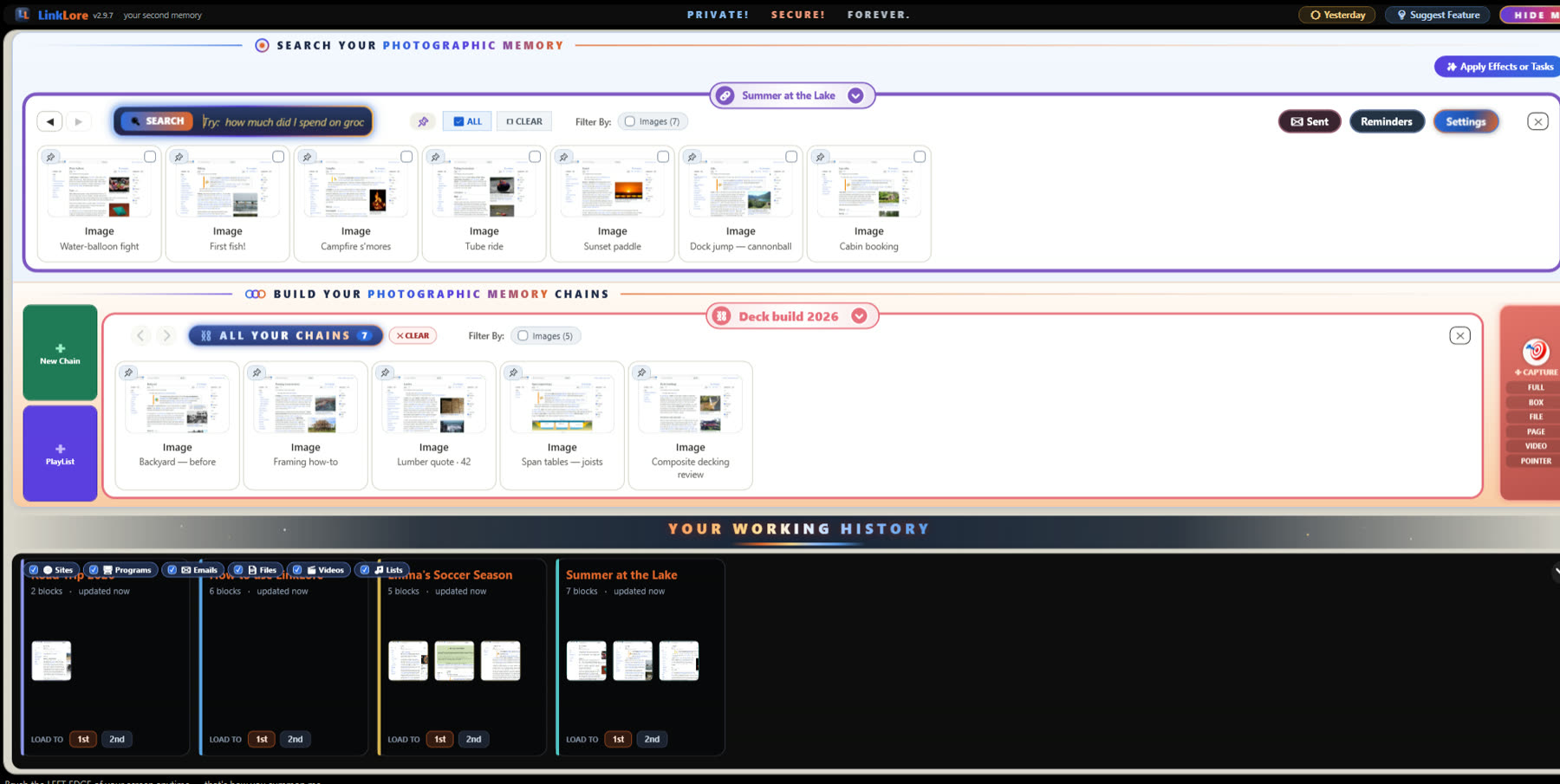
LinkLore on a Windows desktop: photos in the search room, a music list on the chain builder, and the Working History
Side by side

LinkLore and Microsoft Recall

⛓ LinkLoreMicrosoft Recall
Runs onThe Windows 10 or 11 PC you already ownCopilot+ PCs only
What it keepsWhat you capture, plus a picture of the programs you spend real time in — visible, deletableSnapshots of your screen every few seconds
How you find itSearch by meaning; rest the mouse for a full-size previewSearch, then scroll a timeline
How it's organisedChains you name, drag, reorder and shareOne timeline
Music, films, remindersPlay and live inside your chains—
Your AI assistantConnect Claude or any MCP assistant to your memory, when you choose toCopilot
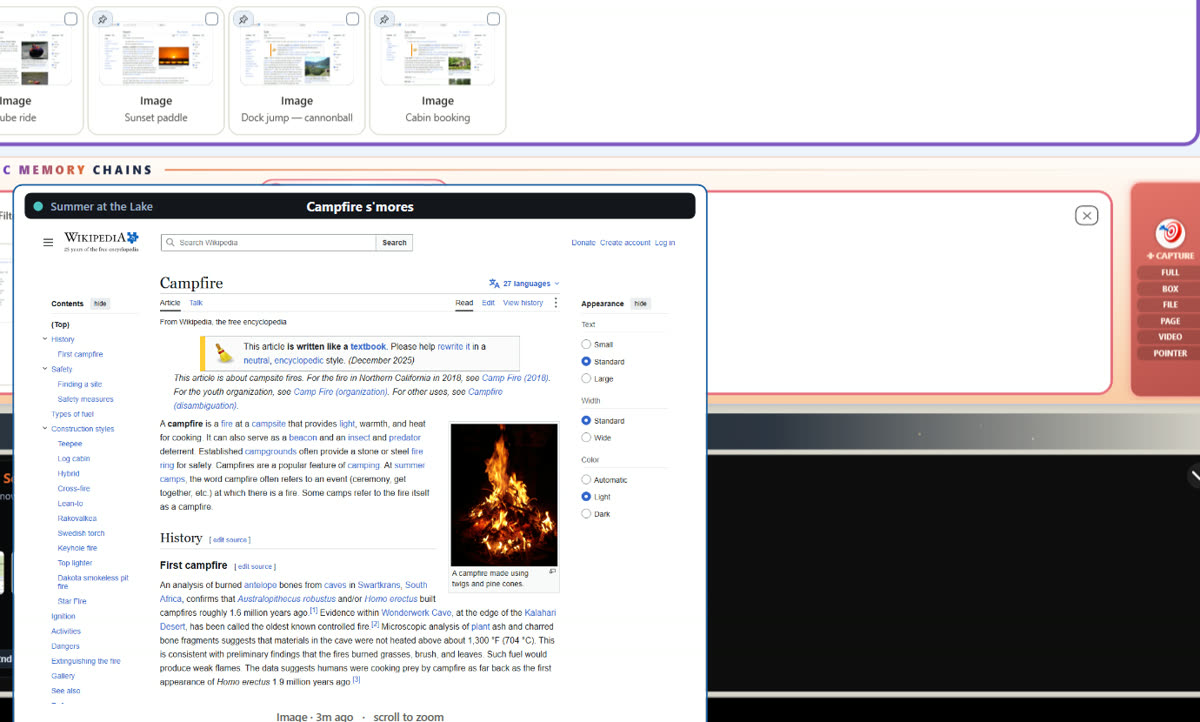
Resting the mouse on a photo shows it full size
The Glance

See it without opening it.

Rest your mouse on any block and it shows its entire self, full size — the photo, the PDF's page, the video's poster. Scroll to zoom into the fine print. No app opens.

Searching lasagna finds photos, a recipe PDF, a receipt, a song and a film poster across four chains
Search by meaning

One word finds everything.

Type what you remember — “lasagna” brings back the dinner photos, Grandma's recipe, the grocery receipt and the song from that night, from every chain at once. It reads inside PDFs and looks inside photos.

A music list opened on the chain builder, every song with its cover
Chains, not timelines

Your projects, your way.

Everything lands on a chain you can name, drag, reorder and share — a cabin build, a fishing trip, a road-trip playlist. Music and films play right inside it.

Questions

Before you switch

Do I need a Copilot+ PC for LinkLore?

No. LinkLore runs on any 64-bit Windows 10 or Windows 11 PC — no NPU, no new hardware. About 400 MB on disk; 8 GB of RAM recommended.

Does LinkLore record my screen all the time like Recall?

No. It keeps what you capture — a window, a box you draw, a file, a page, a video — and a picture of the programs you actually spend a couple of minutes in. Skim past something in seconds and it stays out. Every block is visible and deletable.

Where does my data go?

Nowhere, by default. Capture, storage, search and the built-in AI run on your PC, with the vault database encrypted with AES-256. Nothing you capture leaves unless you send it; one small check-in a day tells us a copy is running, and we keep the IP address it came from for 90 days.

Is it free?

Yes — the full local core is free forever, with no account. LinkLore Pro adds the multi-chain stage and power features for $7.99 a month or $79 a year.
Try it on the PC you already own.

Install in a minute. Capture your first afternoon. Find anything by tonight.

⬇ Download free for Windows

