SEARCH INSIDE SCREENSHOTS · WINDOWS 10 & 11 · FREE

Type a word.
Find the screenshot it's in.

Windows names your screenshots Screenshot 2026-11-16 093012.png, and on most PCs File Explorer searches only that name. LinkLore reads the words inside every screenshot, photo and PDF on your PC, so typing what was on screen — an error message, an order number, a name — brings the picture back.

⬇ Download free for Windows Take the tour →

Free forever for the full local core. No account. No card.

One word — lake — finds a film poster, a song and the fishing-trip photos across four chains
How it works

Three steps, and the first two are automatic

What happens
1 · It already knows where to lookYour Pictures folder, where Windows keeps Screenshots, plus Documents, Desktop, Downloads, Music and Videos. Add any other folder or drive yourself.
2 · It reads, quietlyIn the background, newest first, LinkLore reads the words in each picture with the text recognition built into Windows, and the first page of each PDF. It pauses while you watch a film.
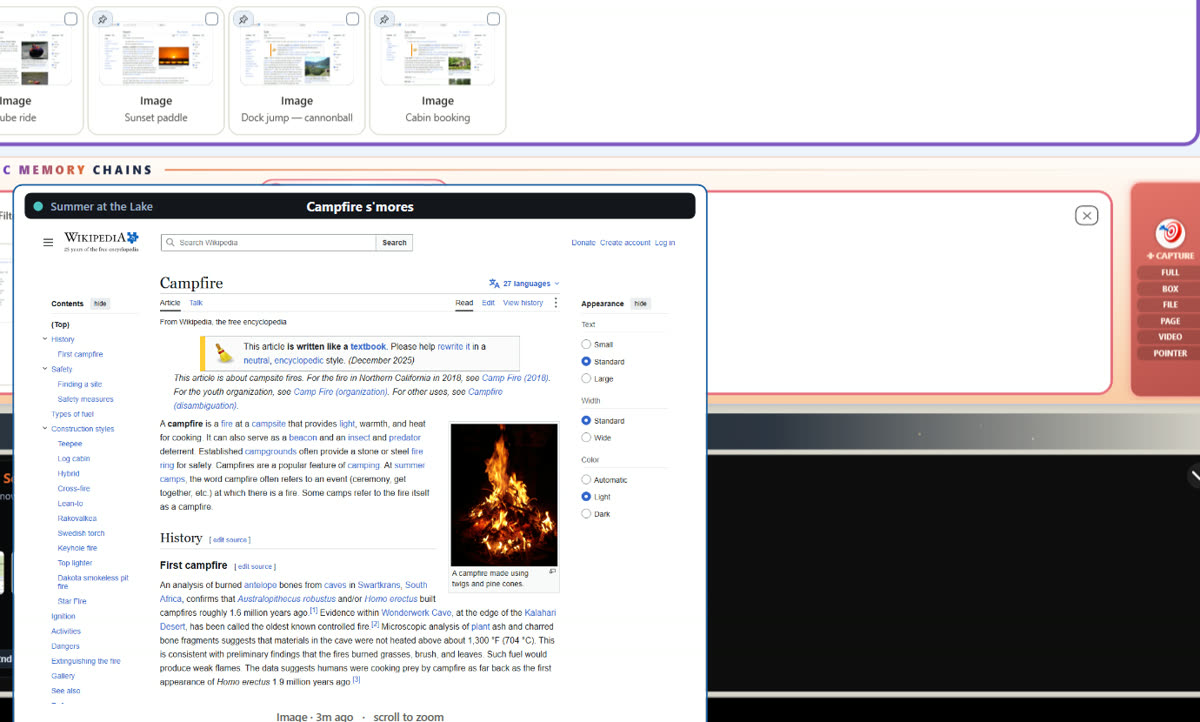
3 · You type what you rememberA few words, or how you'd describe it. Rest your mouse on a result and it shows itself full size, without opening anything.
Resting the mouse on a photo shows it full size
The Glance

See it without opening it.

Rest your mouse on any result and it shows its entire self, full size. Scroll to zoom into the fine print. For screenshots you take inside LinkLore, the words you searched for are highlighted right where they sit on the picture.

Searching lasagna finds photos, a recipe PDF, a receipt, a song and a film poster across four chains
Pictures with no words

“Lasagna” finds the lasagna.

A photo of dinner has nothing to read. With LinkLore's optional local AI, your PC describes what each photo shows, so you can search for what's in the picture, not just what's written on it. It all runs on your own machine.

A music list opened on the chain builder, every song with its cover
Keep the ones that matter

Put them on a chain.

Found what you were after? Drag it onto a chain you name — “Laptop warranty”, “Taxes 2026”, “Road trip” — and it stays with the rest, in order, one click away. Songs and films play right inside a chain, too.

Questions

Before you try it

Can Windows search the text inside screenshots?

On most PCs, no: File Explorer searches a screenshot's file name, like Screenshot 2026-11-16 093012.png, not the words in the picture. LinkLore reads those words with the text recognition built into Windows, on your PC, so you can search them.

Which folders does LinkLore read?

Documents, Desktop, Downloads, Pictures, Music and Videos by default, which covers Pictures\Screenshots where Windows saves screenshots. You can add other folders and drives yourself under Settings → 📂 Folders it reads. Files are read where they are; nothing is copied.

Does LinkLore upload my screenshots?

No. The reading happens on your PC. Nothing you capture leaves unless you send it; one small check-in a day tells us a copy is running, and we keep the IP address it came from for 90 days. Everything that leaves, listed →

Is it free?

Yes. Searching inside your screenshots, photos and PDFs is part of the free local core, with no account. LinkLore Pro adds power features for $7.99 a month or $79 a year.

Stop scrolling through Screenshot (143).png.

Install in a minute. Let it read tonight. Find anything tomorrow.

⬇ Download free for Windows

