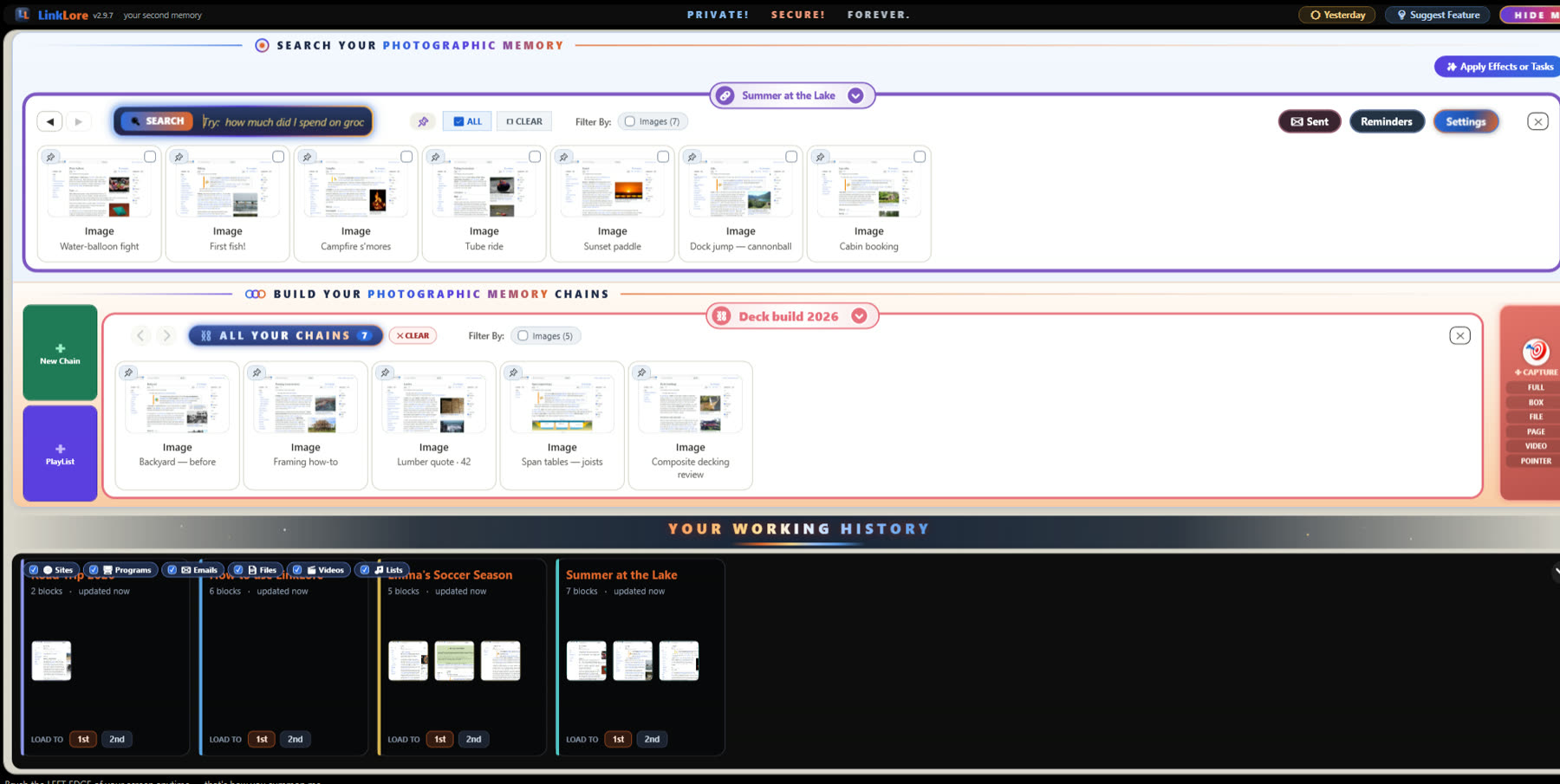
Win + Tab used to show what you were working on last Tuesday. Windows 11 dropped it. LinkLore keeps every day as its own chain — the programs you spent real time in, the files and pages you worked on, everything you captured — and a calendar takes you to any day in one click.
Free forever for the full local core. No account. No card.
| ⛓ LinkLore | Windows Timeline | |
|---|---|---|
| Works on | Windows 10 and Windows 11 | Windows 10 only — gone in Windows 11 |
| What it remembers | The programs you spend a couple of minutes in, the files and pages you work on, everything you capture | Activities from apps that supported it, mostly Edge and Office |
| Going back to a day | Click a date on the 📅 calendar, or type “yesterday” or “last week” | Scroll back through Task View |
| Finding one thing | Search by meaning, including the words inside screenshots and PDFs | Search activity titles |
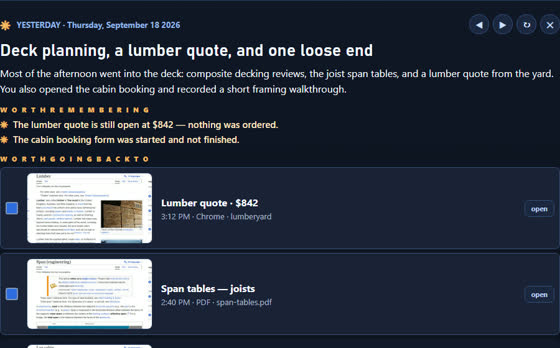
| A summary of your day | The Day Brief: yesterday in a paragraph, written on your PC | — |
| Where it's kept | Your PC, in an encrypted vault | Your PC, and your Microsoft account if sync was on |

Each day gets one chain, titled with the date. A picture of each program you spend a couple of minutes in lands on it, along with anything you capture without picking a chain. Skim past something in seconds and it stays out. Every block is yours to keep or delete.

The 📅 calendar lights up the days that have something in them. Click one and that day loads at once; keep clicking to flip through a week. Type “yesterday” or “last week” and LinkLore jumps straight there — or type what you remember, and “lake” brings back the photos, the song and the film poster from every day at once.

Every morning LinkLore writes a short summary of yesterday: what you worked on, what's still open, what's worth going back to, with one click to each. The writing is done by AI on your own PC. Without the optional AI models you still get a plain list of your apps, sites and files by time.

Open LinkLore in the morning and the files and pages you really worked on yesterday — five minutes or more, not the ones you glanced at — are already on screen. Every chain you've been working in waits along the bottom with three pictures; one click puts it back.
Not from Microsoft: Windows 11 shipped without Timeline, and Win + Tab now shows only your open windows and desktops. LinkLore is a separate app that brings the idea back, on Windows 10 and 11, with a day-by-day history kept on your own PC.
No. It keeps what you capture, and a picture of the programs you actually spend a couple of minutes in. Skim past something in seconds and it stays out. Every block is visible and deletable.
On your PC, in a vault whose database is encrypted. Nothing you capture leaves unless you send it; one small check-in a day tells us a copy is running, and we keep the IP address it came from for 90 days. Everything that leaves, listed →
Yes. The full local core, including the day chains, the calendar and the Working History, is free forever, with no account. LinkLore Pro adds power features for $7.99 a month or $79 a year.
Install in a minute. Work as usual. Tomorrow morning, yesterday is waiting.
⬇ Download free for Windows